
How to Choose an Ergonomic Task Chair: A Buyer’s Guide for NoVA Offices
Ergonomics Is Now the Baseline, Not the Upgrade
The task chair market has shifted. Features that used to command a premium — adjustable lumbar support, breathable mesh, seat depth adjustment, and multi-point armrests — are now standard expectations in Northern Virginia and Washington DC offices. A chair that cannot be adjusted to the person sitting in it is no longer a serviceable chair; it is a liability for comfort, focus, and long-term health.
That shift is good news for buyers, but it also raises the stakes. When every chair claims to be ergonomic, the real question becomes which one fits your people and how to tell the difference.
Start With Adjustability, Not the Price Tag
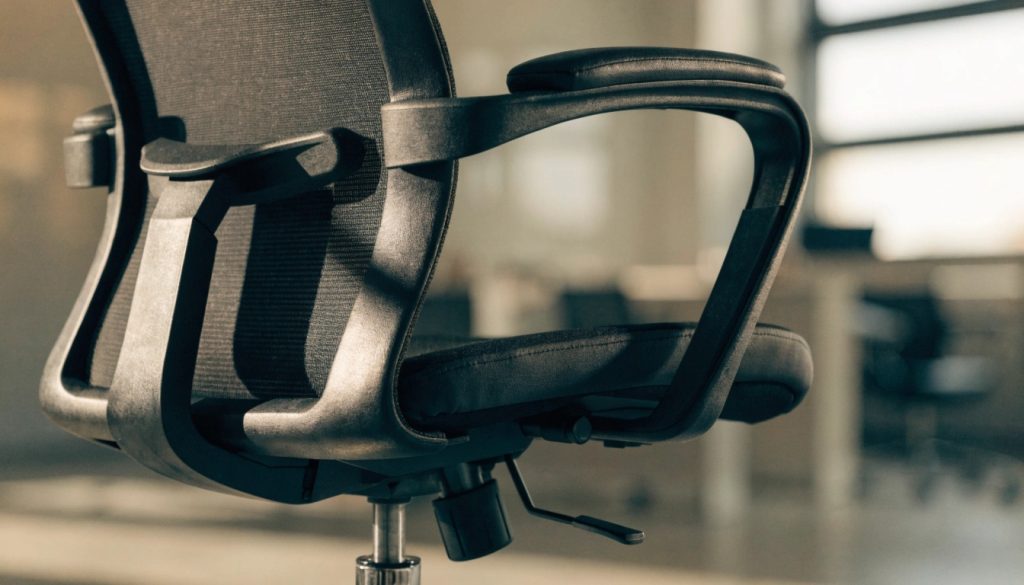
A well-fitted chair moves with the body. Look for seat height that lets feet rest flat with knees at roughly ninety degrees, a seat pan that slides to support the thighs without pressing behind the knees, and a backrest that reclines and locks. Armrests should adjust in height at minimum, and ideally in width and depth, so forearms stay supported while typing.
These mechanisms matter more than any single marketing feature. A chair with genuine adjustment range fits a wider variety of body types, which is exactly what a shared office needs.
Lumbar Support Should Fit the Spine, Not Fight It
The lower back has a natural inward curve, and good lumbar support fills that gap rather than pushing against it. Adjustable lumbar systems let each person set the height and firmness of that support, which is the difference between a chair that relieves back strain and one that creates it. For staff who spend the full workday seated, this single feature drives much of the long-term comfort payoff.
Materials Affect Comfort and Longevity
Breathable mesh backs keep air moving and suit warmer offices and long sitting sessions. Upholstered foam seats offer a different kind of comfort and a more traditional look that fits executive and client-facing spaces. Whichever you choose, the quality of the foam, the fabric wear rating, and the base and cylinder construction determine how the chair holds up after three years of daily use.
Fitting a Chair to a Body
A chair is only ergonomic once it is adjusted. When evaluating options, sit for more than a few seconds: set the height so feet are flat, adjust the lumbar to meet the curve of your back, position armrests so shoulders relax, and tilt the recline to shift weight off the tailbone. If a chair cannot reach a comfortable position for both your tallest and shortest team members, it is not the right chair for a shared environment.
Active Seating for Movement Through the Day
Ergonomics increasingly means motion, not just a fixed correct posture. Active-seating options such as perch stools, balance-oriented chairs, and stools paired with sit-stand desks encourage subtle movement that keeps muscles engaged. These work especially well in collaborative zones and alongside standing desks, giving staff a way to change position without leaving their work.
Choosing Chairs That Support Your Team
The right task chair is an investment in focus, health, and retention that pays back every single workday. Ready to seat your team in chairs that actually fit them? Contact us at All Business Systems for ergonomic seating selected and fitted for the way your Northern Virginia team works.